HANDLEIDING | SNELSTARTGIDS
ClubSport Shifter SQ V1.5 + ClubSport USB Adapter
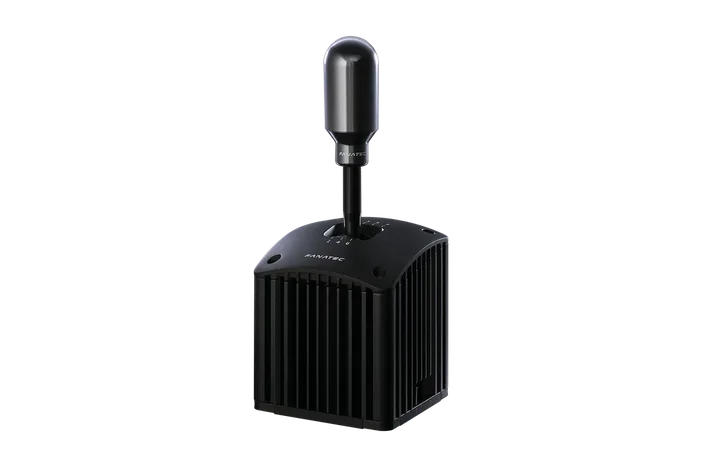
PACKAGE CONTENTS

ClubSport Shifter SQ V1.5
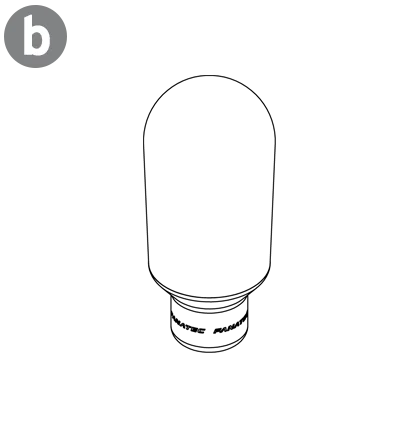
Sequential Shifter Knob

H-Pattern Shifter Knob

RJ12 to PS/2 cable

RJ12 cable

M5 T-Nuts


ClubSport USB Adapter
SHIFTER KNOB CHANGE
To unmount the sequential shifter knob (b), turn in a counterclockwise direction until the knob is completely free from the shaft threading.

To mount the H-pattern shifter knob, carefully place the knob onto the shifter shaft and turn in a clockwise direction until firmly locked.

MOUNTING
SIDE-MOUNTING
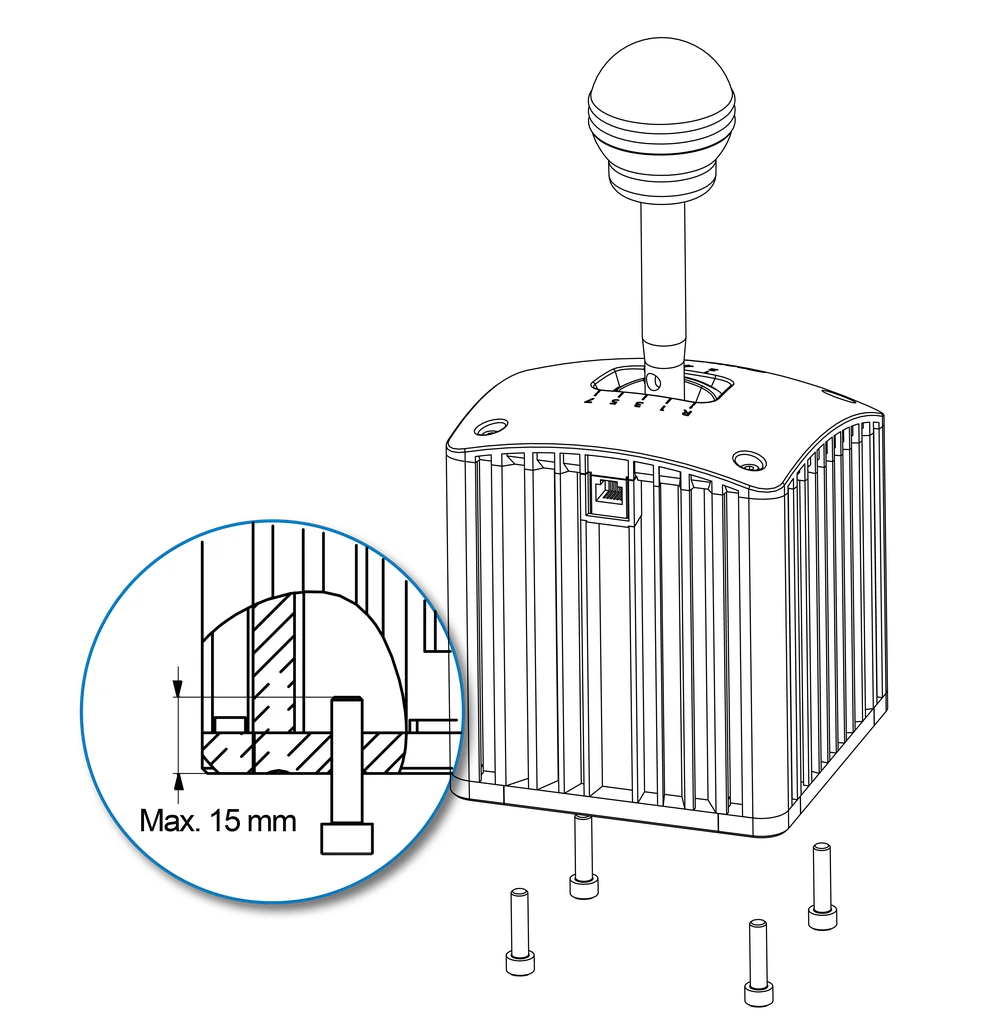
- Remove the end caps on the bottom of your shifter using a 2 mm Allen key (not included).
- Insert the T-nuts (f) included with your ClubSport Shifter.
- Reattach the bottom covers to the shifter.
- Align the T-nuts with your mounting surface.
Attach the shifter using M5 bolts (not included and max. thread length 8 mm), then tighten firmly.

BOTTOM MOUNTING
- Align your shifter with the mounting holes of your mounting surface.
- Attach the shifter using 4x M6 bolts (not included and max. thread length 15 mm), then tighten firmly.
CONNECTION
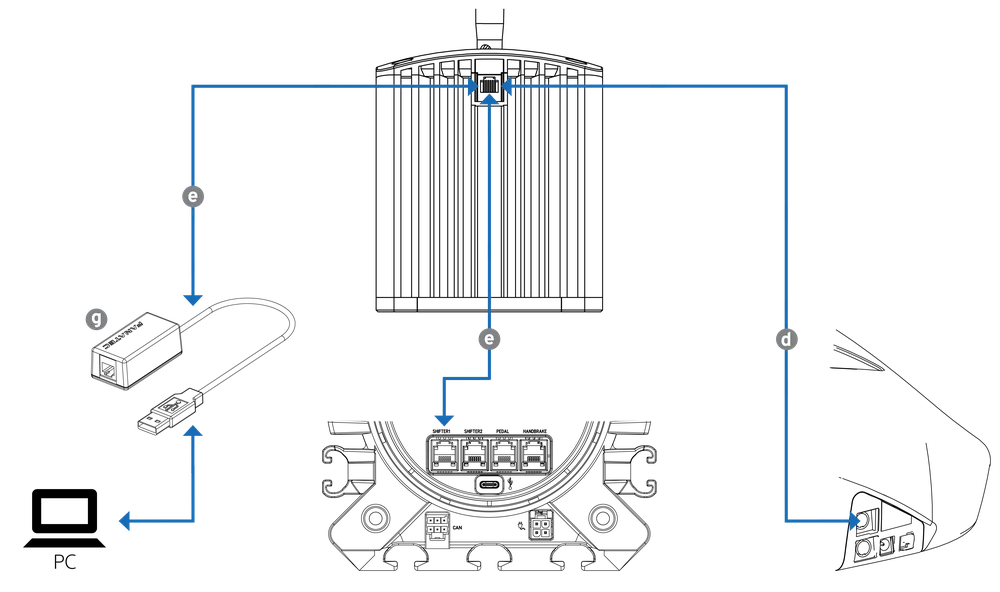
OPTION 1: Connect the shifter to the included ClubSport USB Adapter (g) using the included RJ12 cable (e) and connect the adapter to your PC.
OPTION 2: Connect the shifter to the "Shifter 1" port of your Fanatec wheel base using the included RJ12 cable (e).
OPTION 3: Connect the shifter to the PS/2 port of your Fanatec wheel base using the included RJ12 to PS/2 cable (d).
FANATEC APP

Download and install the Fanatec App

Connect your wheel base to a PC via USB
Open the Fanatec App and update your wheel base firmware
CLUBSPORT USB ADAPTER
By default, the device is delivered with the firmware for the ClubSport Shifter. If your shifter is not correctly recognized, follow these steps:
CHANGING ADAPTER MODE OPTION 1: FANATEC APP UI
Select the device which currently shows the USB symbol next to it.
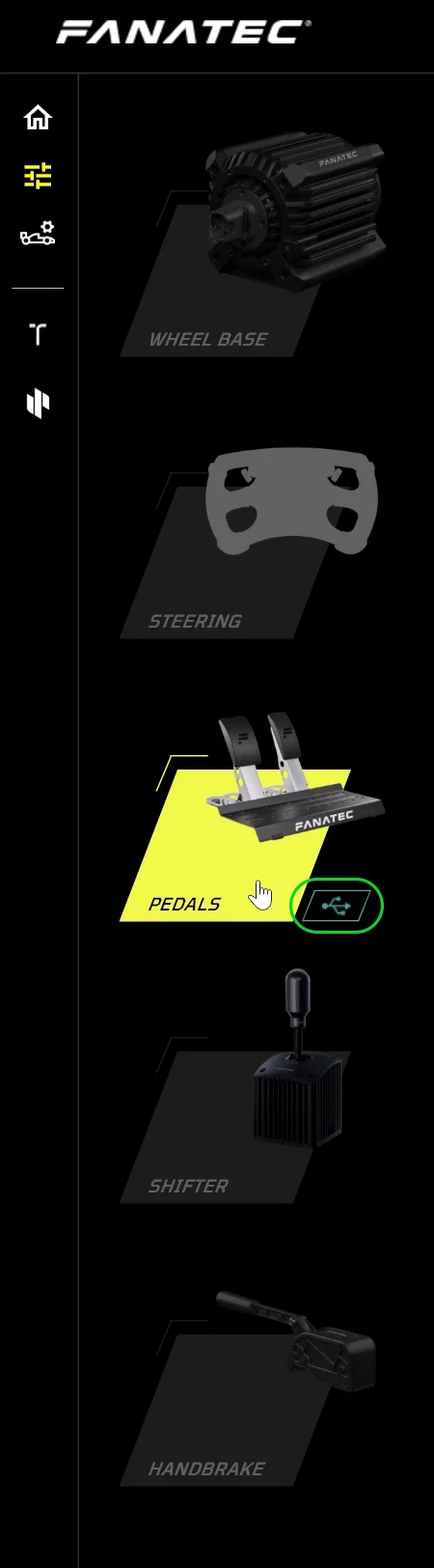
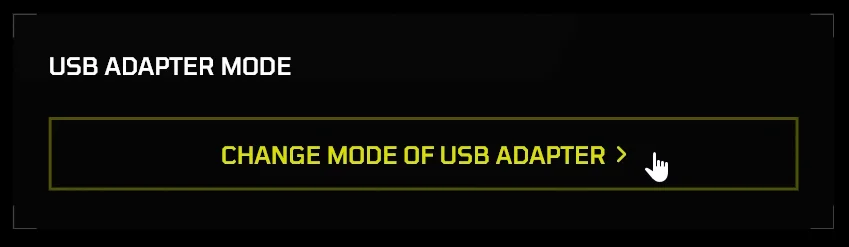
Click on "CHANGE MODE OF USB ADAPTER".
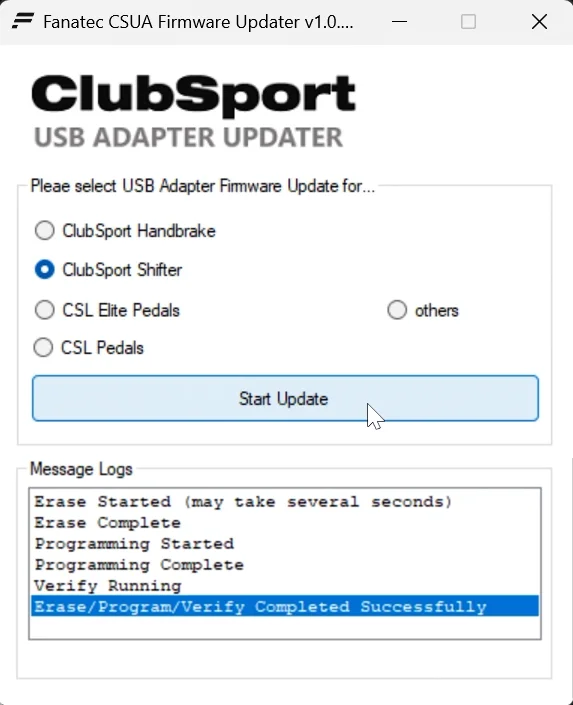
Select "ClubSport Shifter", click on "Start Update" and wait until the process is completed.
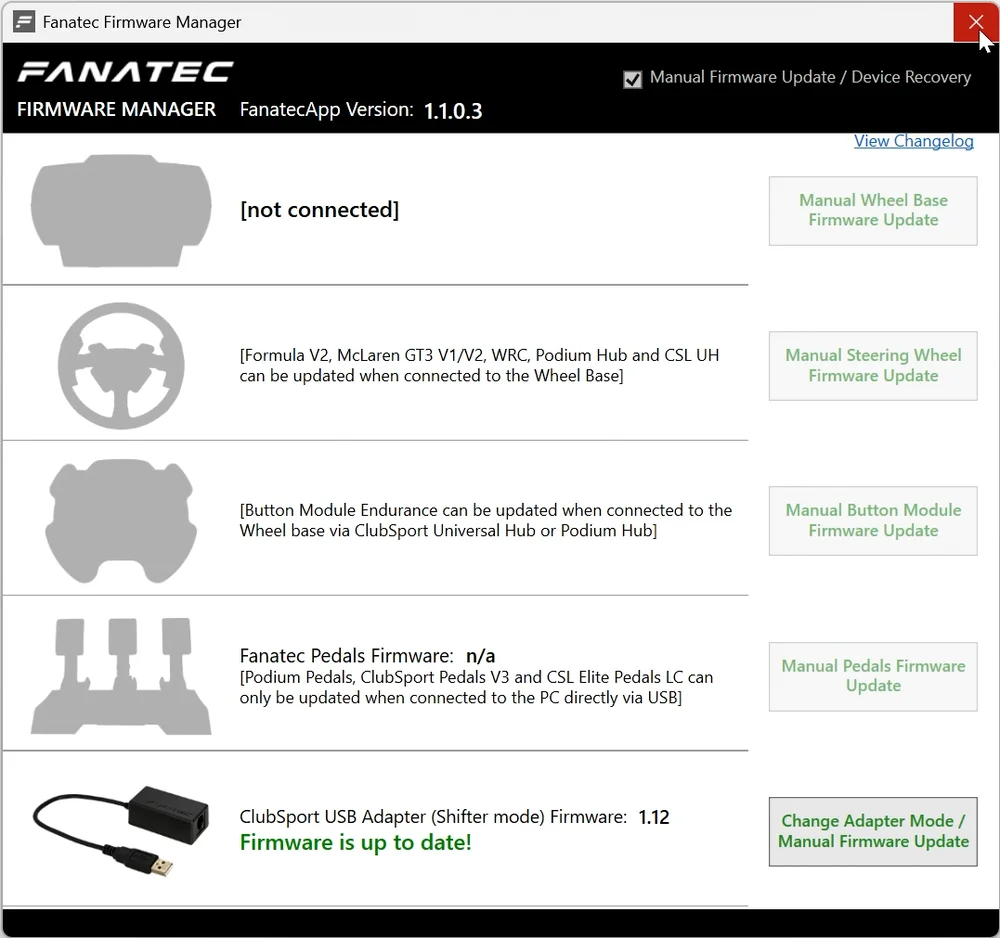
CHANGING ADAPTER MODE OPTION 2: FIRMWARE MANAGER
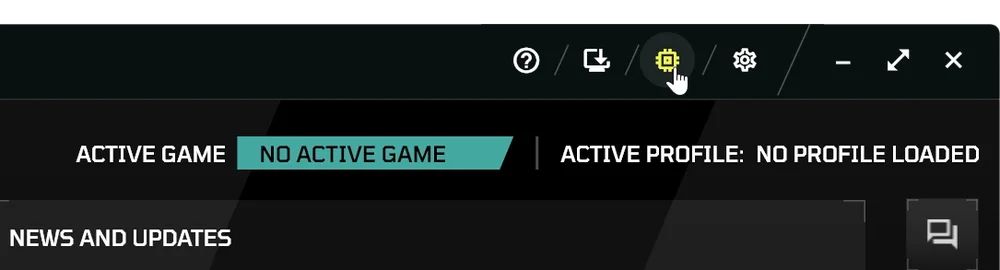
Open the Fanatec App and navigate to the update tab in the top right.
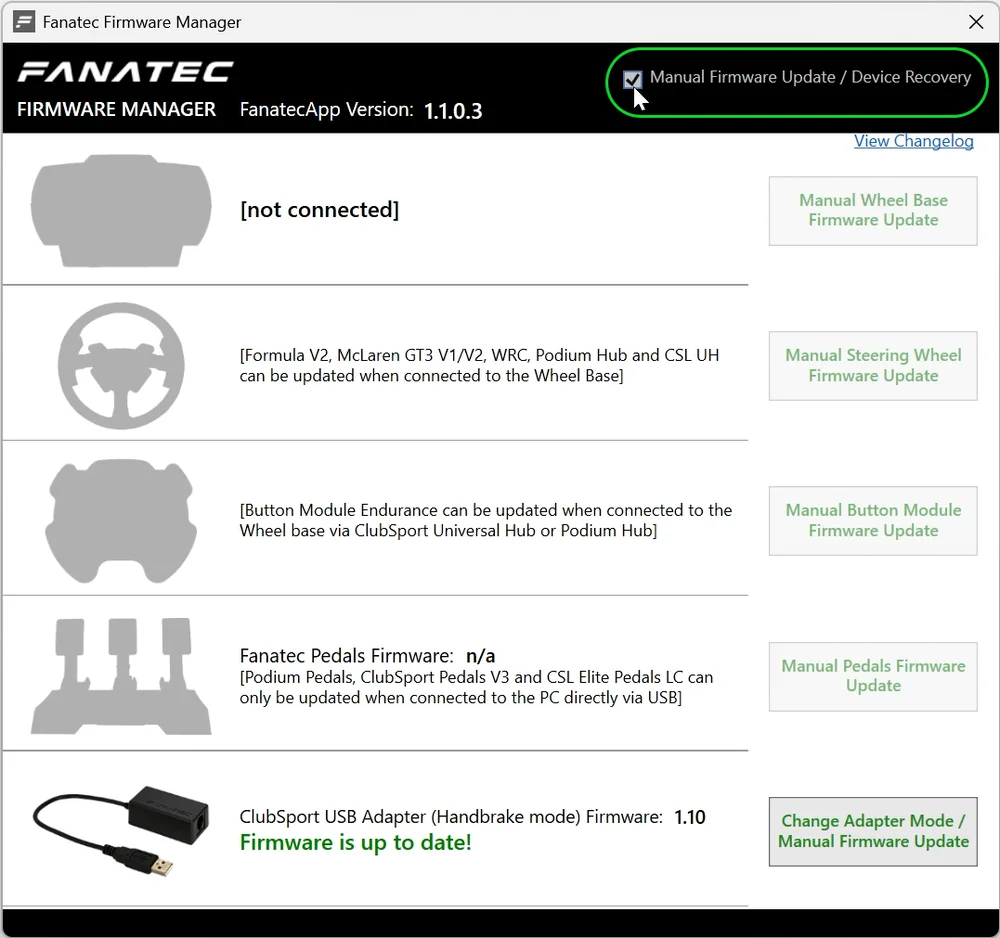
Select "Manual Firmware Update".
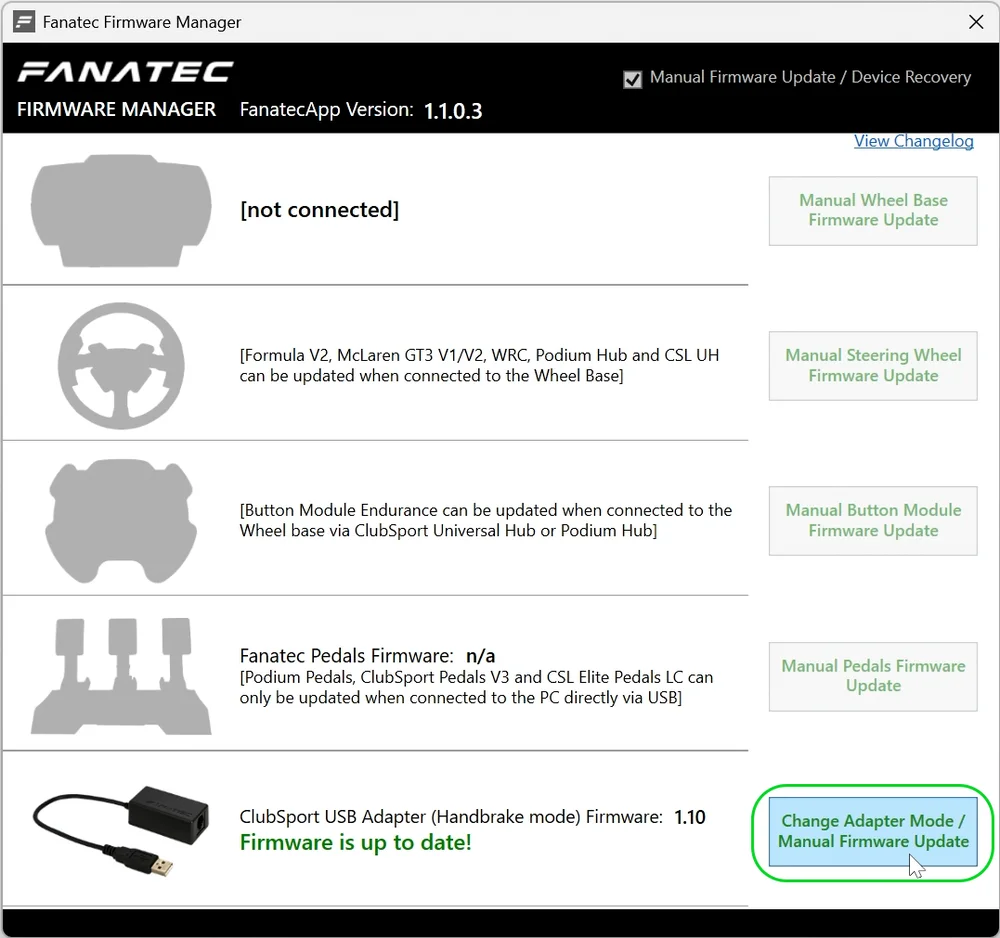
Click on "Change Adapter Mode / Manual Firmware Update".
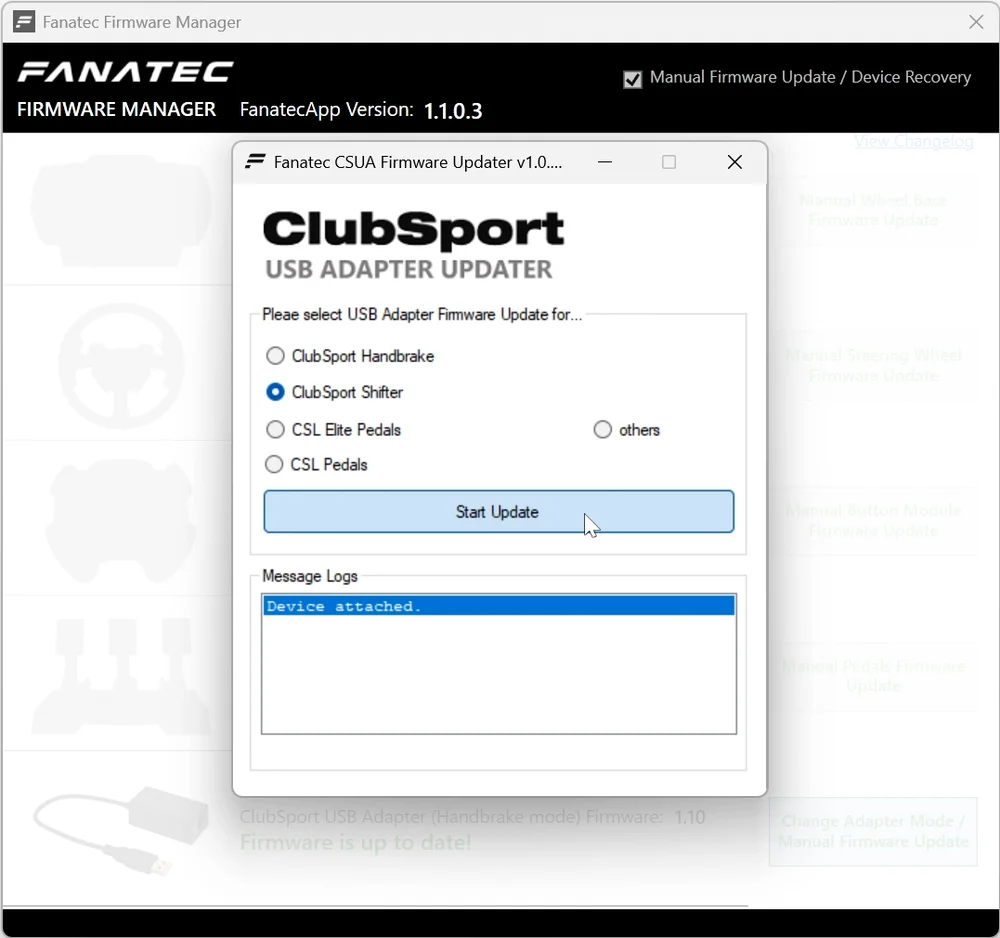
Select "ClubSport Shifter" and click on "Start Update".
Once the update is complete, close the Firmware Manager.
REVERSE AND 7TH GEAR
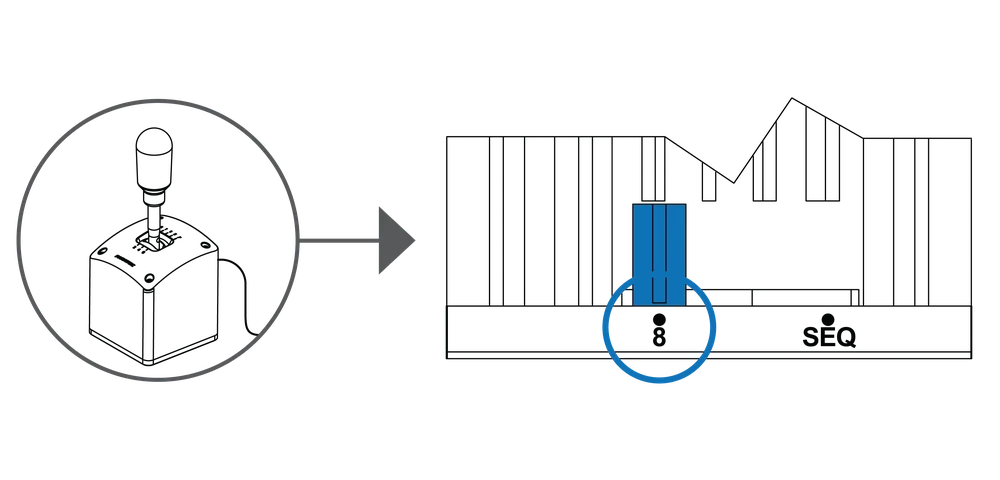
To engage reverse (R) or 7th gear, push down on the shifter shaft and select either simultaneously.

CALIBRATION
CALIBRATION VIA STEERING WHEEL
If your shifter is connected to a compatible Fanatec wheel base, calibration can be initiated and performed directly via your attached steering wheel.
STEP 1
Make sure your shifter is in H-pattern mode.
STEP 2
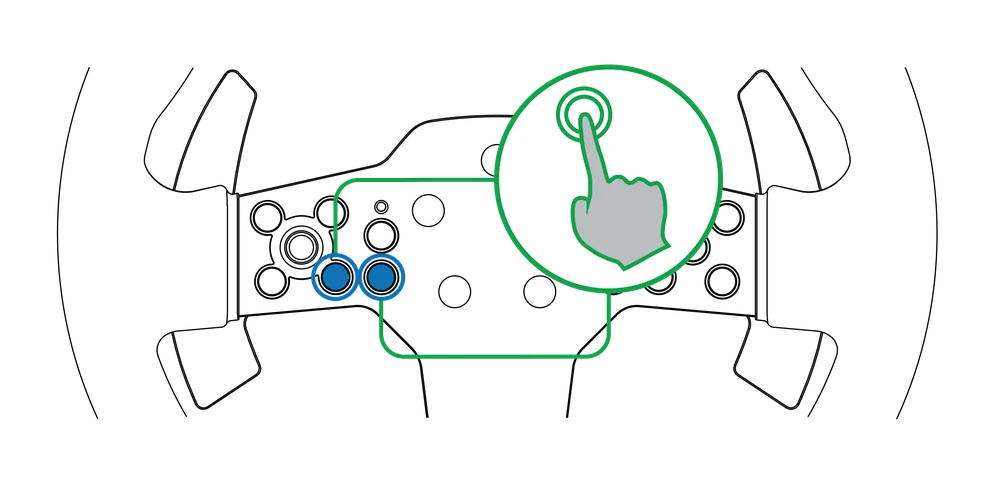
Press the button combination as shown in your steering wheel Quick Start Guide.
STEP 3
Gear to be calibrated will be shown on the steering wheel display.

STEP 4
Select the gear.

STEP 5
Confirm gear with the button shown in your steering wheel Quick Start Guide.

STEP 6
Repeat for all gears.

CALIBRATION VIA FANATEC APP
STEP 1
Make sure your shifter is in H-pattern mode.
STEP 2
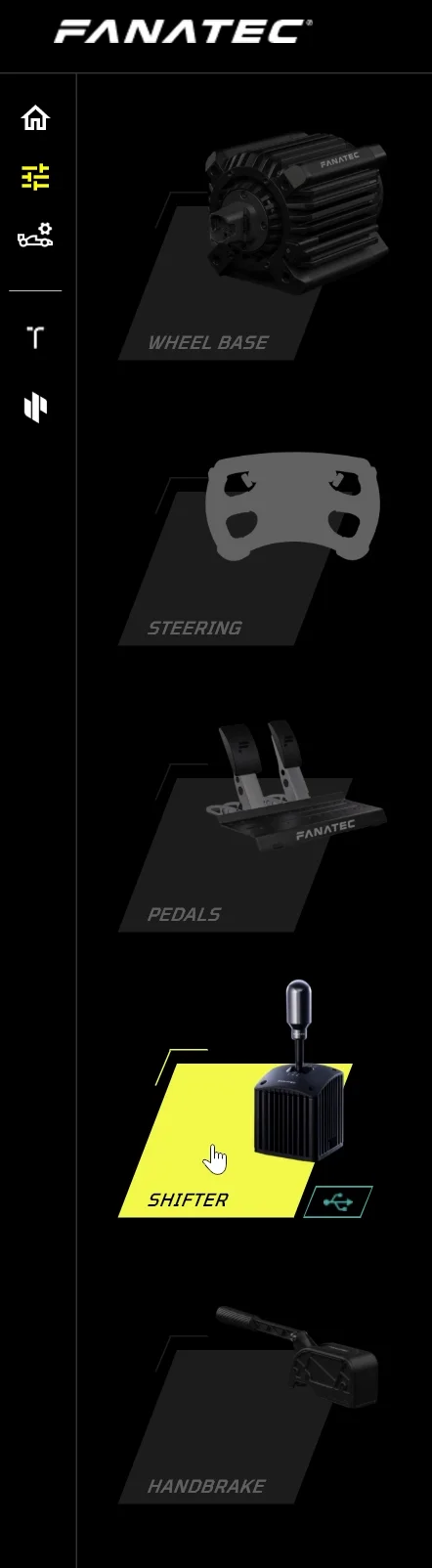
Select the "SHIFTER" tab.
STEP 3
Click on "H-SHIFTER CALIBRATION".
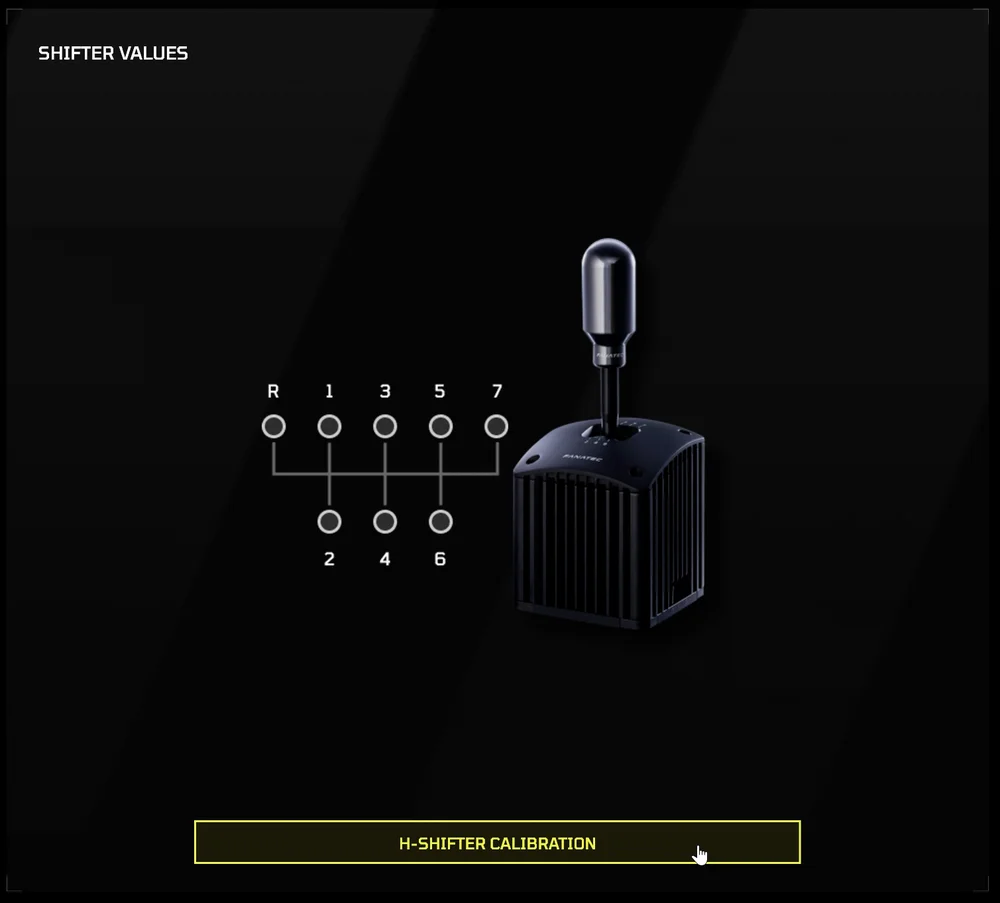
STEP 4
Gear to be calibrated will be shown on screen.
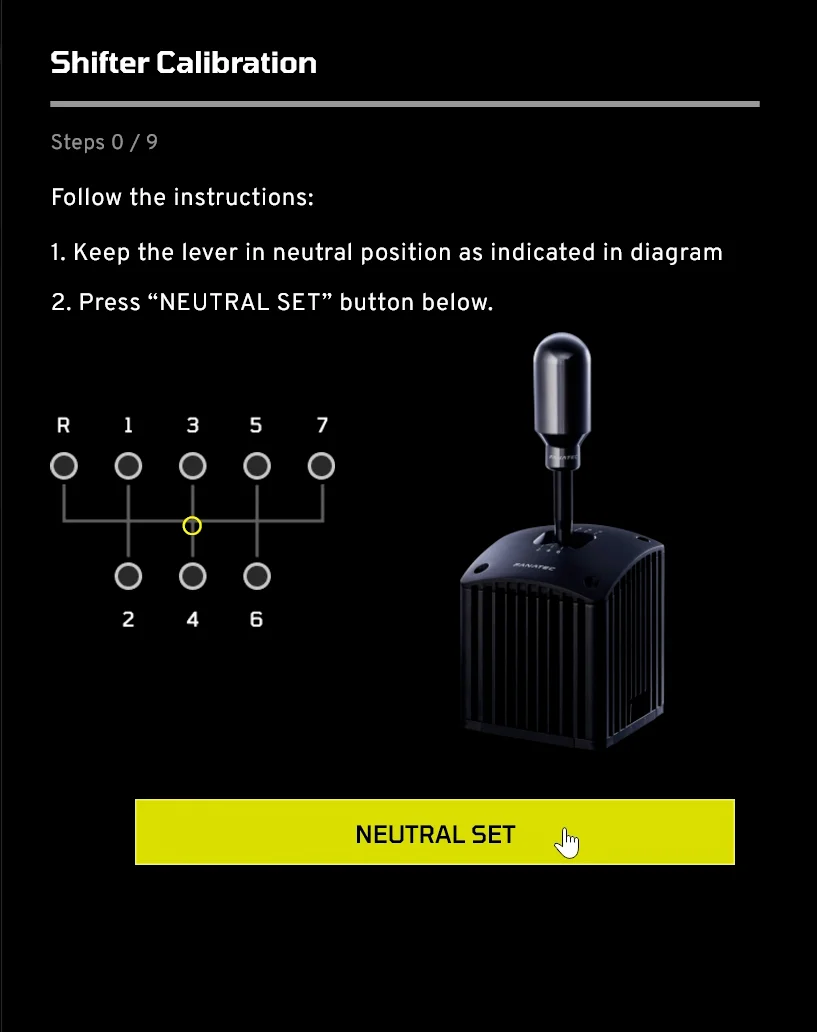
STEP 4
Select the gear and confirm by pressing the button in the Fanatec App.
STEP 5
Repeat for all gears.
MODE CHANGE
To change from H-Pattern to sequential mode, set the slider on the bottom side on the shifter from the "8" to "SEQ" position.

NOTE: When in sequential mode, engaging gears permanently is not possible. After pressing the gear lever up or down, it will return to the neutral position.
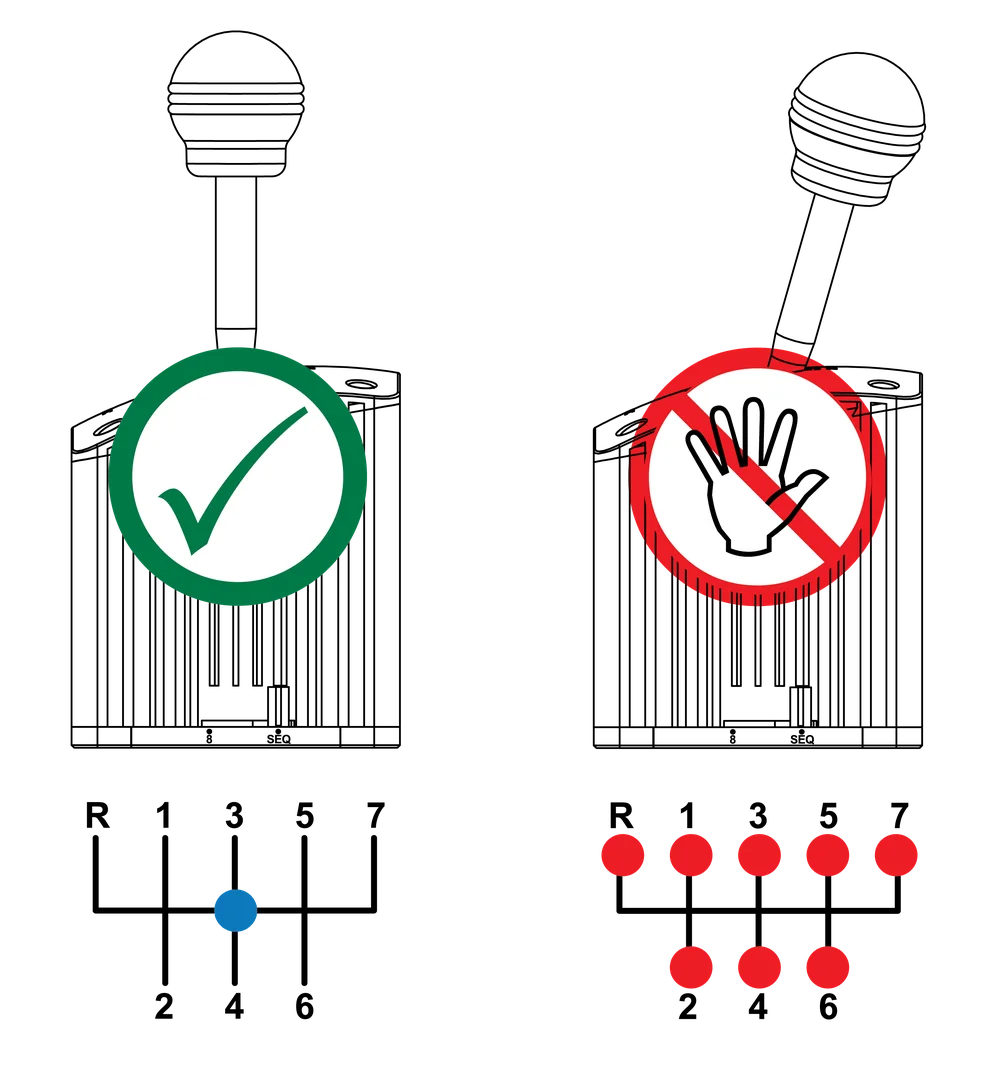
ADJUSTING SHIFT RESISTANCE
To adjust shift resitance, use a 5 mm Allen key (not included) on the adjustment opening as shown.

WARRANTY
The product warranty is provided by CORSAIR MEMORY, Inc. Refer to the terms & conditions of CORSAIR MEMORY, Inc. on Fanatec.com.
LEGAL
©2025 CORSAIR MEMORY, Inc. Trademarks belong to their respective owners. All rights reserved. Fanatec is a brand of CORSAIR MEMORY Inc.