One of the defining features of Fanatec hardware is the wide customizability of various settings for your base. Finding the right ones is crucial for having a good driving experience – not only when it comes to realism and immersion, but also the feeling for the car and road. The wrong settings for your specific race can negatively impact your sim racing performance and experience.
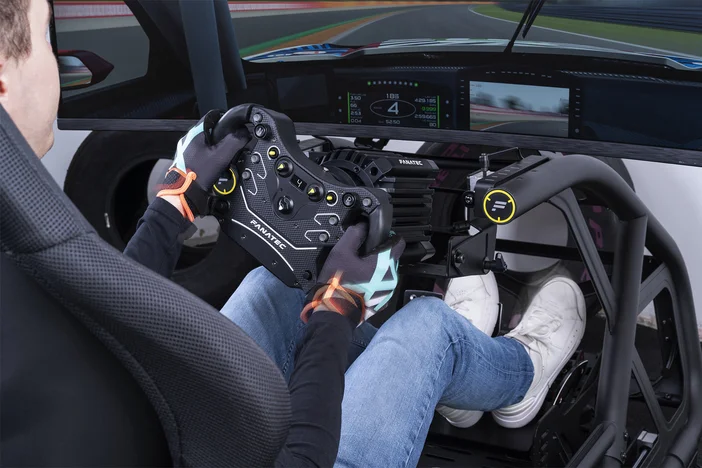
The Tuning Menu
While there’s no one-size-fits all that qualifies as the “best settings”, Fanatec’s Tuning Menu is your gateway to the most important adjustments you can make to your hardware. There are different ways of accessing it: the Fanatec App, the official Fanatec Stream Deck Plugin, or directly via your steering wheel’s display.
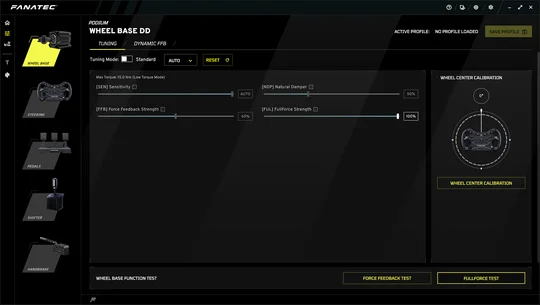
Most Fanatec wheel bases feature a Standard Tuning Menu alongside an Advanced Tuning Menu. Both Tuning Menus include an “Auto Setup” function. When selecting “Auto”, certain settings cannot be altered by the user. They can be controlled by the game directly if implemented by the game designer. If this feature is not supported by the game, Fanatec default settings will be used.
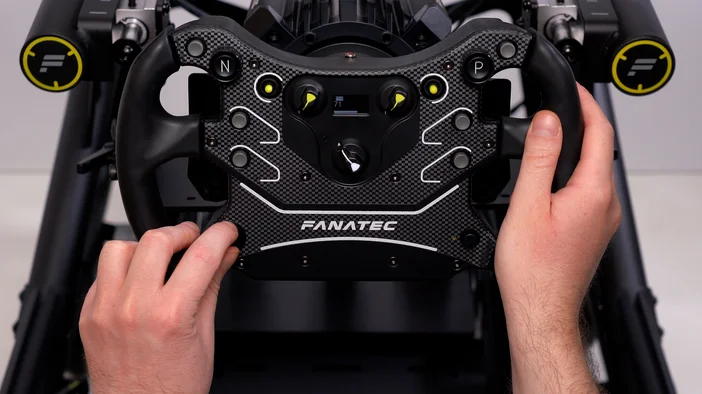
By default, your base will be in advanced mode. You can switch between modes either in the App, or by pressing and holding the Tuning Menu Button on your steering wheel.
The Advanced Tuning Menu offers five presets and allows access to all tuning parameters without limitations.
The Standard Tuning Menu offers a less complex tuning environment. It includes a Custom Setup and Auto Setup. Custom Setup allows for adjustability of the core parameters.
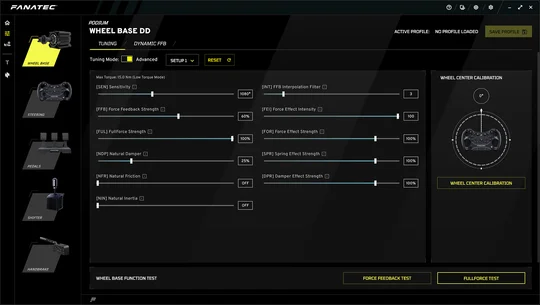
Advanced Tuning Menu
Standard Tuning Menu in "Auto" mode
Where to start
As a baseline for your settings, you can use the default parameters. In many sims, these can already provide good force feedback. From there, a lot of factors play into finding your perfect setup.
The Base
Fanatec offers bases with considerably different torque outputs. The CSL DD, for example, ranges from 5 to 8 Newtonmeters (Nm) and is a good fit for people that are just getting into sim racing or upgrading from a weaker base. Fanatec’s latest flagship - the new Podium DD – delivers 25 Nm of true holding torque and is at the upper limit of what even seasoned sim racers can “endure”. So, depending on your base, the “Force Feedback Strength” (FFB) setting will vary.
Your Steering Wheel
Just like with your base’s torque output, your steering wheel also plays a major role in how the game’s feedback will be delivered to your hands. The biggest factors here are the wheel's diameter and weight. A smaller and lighter wheel (like the ClubSport Steering Wheel F1® Esports V2) needs less FFB than a larger, heavier one (e.g. the ClubSport Steering Wheel Classic 2 V2) to achieve a similar effect.
The sim, car, and racing discipline
Since all of these can be drastically different, your settings might be as well. For example, every game handles its force feedback and physics differently. Having perfect settings in one game might feel very different or “off” in another one – even when driving the same car on the same track.
Similarly, different cars and racing styles call for specific adjustments. The “Sensitivity” (SEN) setting is a good example in this case. It determines the wheel’s maximum rotation. Modern Formula cars usually only allow for approximately 360°, while road cars can easily have 900° or more. So, finding the correct one is essential for a realistic driving feel.
Fine-tuning
Once you have your basics dialed in, you can start refining your setups. Adjust the parameters in small increments to see how they change the behavior of your base. Be careful not to overdo it though! While high FFB might feel incredible while physically pushing you to your limits, this is very rarely an authentic representation of how your car would behave in the real world. Instead of raw power, you should look for settings that let you feel the nuances of your car and track. For higher-powered bases, it’s best to not max out the in-game force feedback settings, leaving your base room to “spike” during key moments of a race.
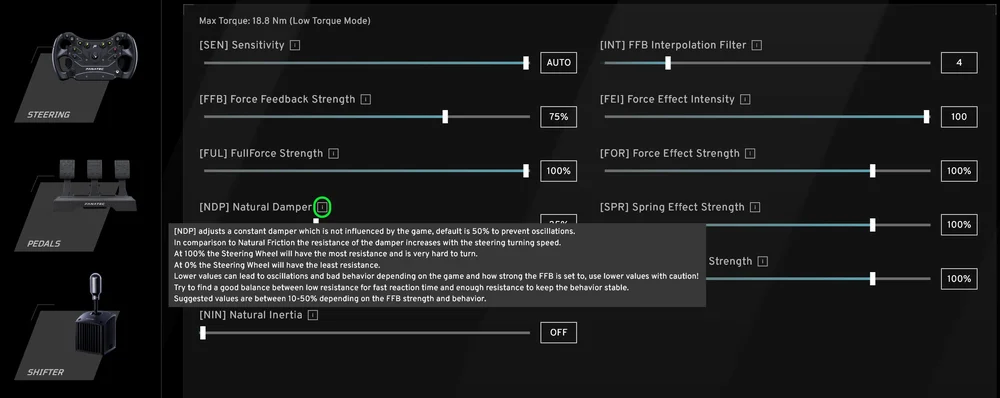
If you are on PC and use the Fanatec App, you can hover over the “i” symbol next to each setting. An explanation will pop up that describes the effect of the setting. These short explanations can also be found in your base’s Quick Start Guide. You can also check our articles on Fanatec Explorer which go into detail of what each setting does.
РЕГИСТРАЦИЯ ПРОДУКЦИИ