One of the defining features of Fanatec’s ecosystem is the seamless compatibility between all Fanatec products. With the wheel base acting as a kind of hub - you can connect different steering wheels, pedals, shifters, and handbrakes. Aside from the steering wheels, all other peripherals are connected via RJ12 cables - a connector widely used in telecommunications and some electronic devices to transmit signals across multiple wires. However, if you don’t have a Fanatec wheel base, there is still a way to use some Fanatec products standalone on PC with the ClubSport USB Adapter.
Compatibility
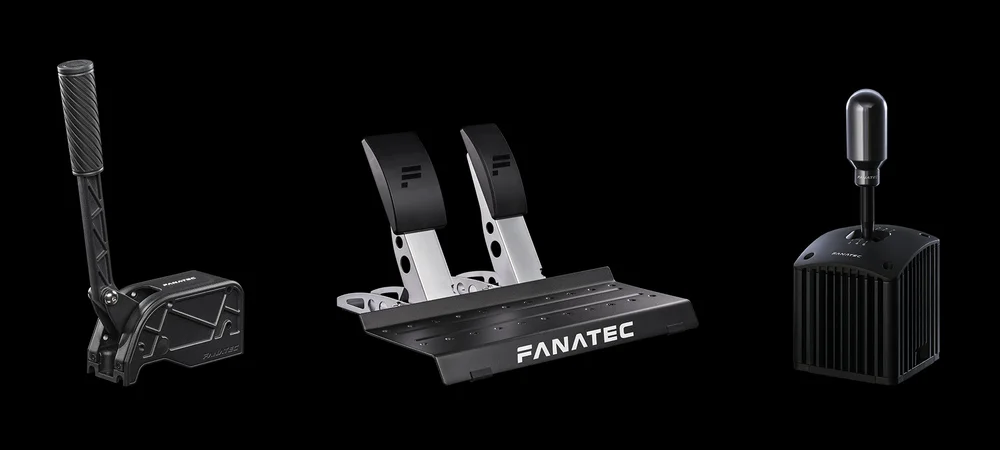
The ClubSport USB Adapter is compatible with the following Fanatec products:
- CSL Pedals
- ClubSport Shifter SQ V1.5, ClubSport Shifter, ClubSport Shifter SQ
- ClubSport Handbrake V2, ClubSport Handbrake
Note: The ClubSport USB Adapter is only compatible with PC in most racing games that support multiple input devices. It will not work when used on consoles.
Setup
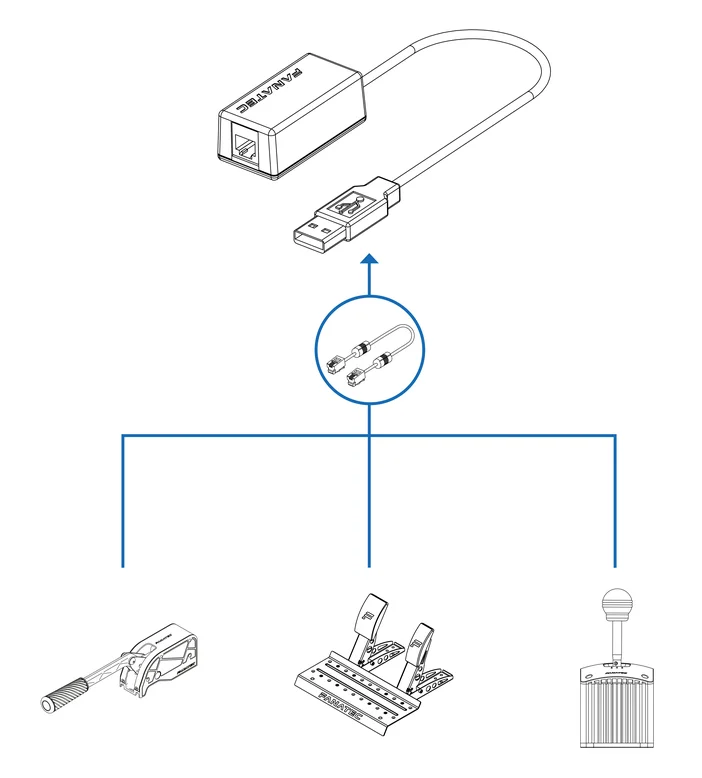
To use your ClubSport USB Adapter with a compatible product, just follow these steps:
- Download and install the latest Fanatec App
- Connect your device via its included RJ12 cable to the USB Adapter
- Connect the USB Adapter to a USB 2 port on your PC. We recommend connecting it to a USB port directly on the motherboard and to not use any extension cables or hubs.
- Open the Fanatec App
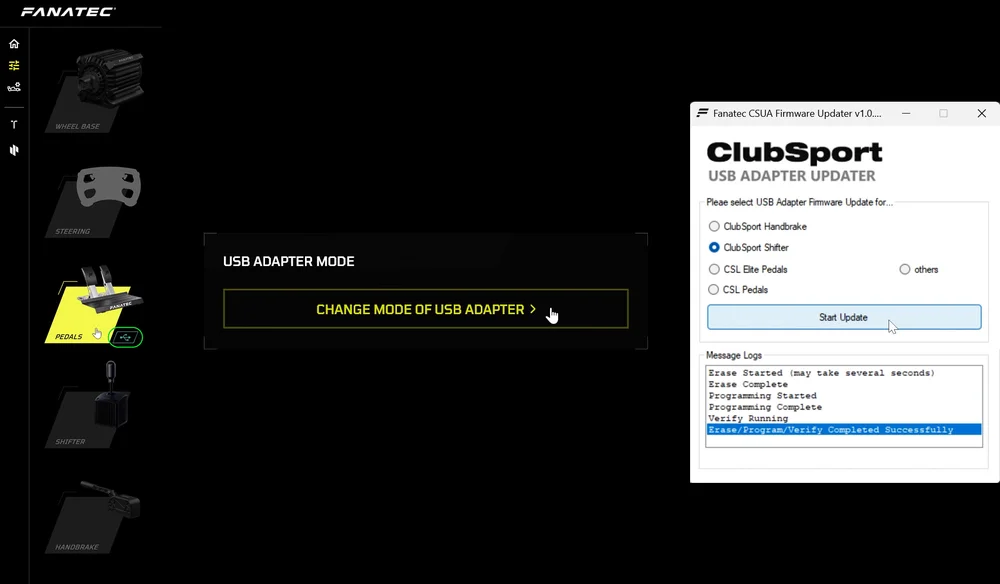
By default, the device is delivered with the firmware for the ClubSport Shifter. If you want to use the CSL Pedals or ClubSport Handbrakes, follow these steps:
- Select the device which currently shows the USB symbol next to it.
- Click on "CHANGE MODE OF USB ADAPTER".
- Select your device, click on "Start Update" and wait until the process is completed.
Other standalone products
Aside from these products used with the ClubSport USB Adapter, Fanatec pedals that have a load cell brake can easily be used on PC via an integrated USB port without the need for a wheel base, namely:
Note that if you want to use these pedals directly on PC, you still need to download and install the latest version of the Fanatec App. Aside from ensuring compatibility, the Fanatec App also enables you to update the firmware of your pedals.
If you want to know more about the difference between RJ12 and USB connections, check our dedicated article on Fanatec Explorer.
PRODUCTS IN ARTICLE